Pls, for the love of ClickUp, don't watch another irrelevant YouTube video. Learn from a real freelancer (hi, I'm Robyn) with real systems, real stories, and a sneaky ClickUp demo or two.
do you know about this lil' feature?
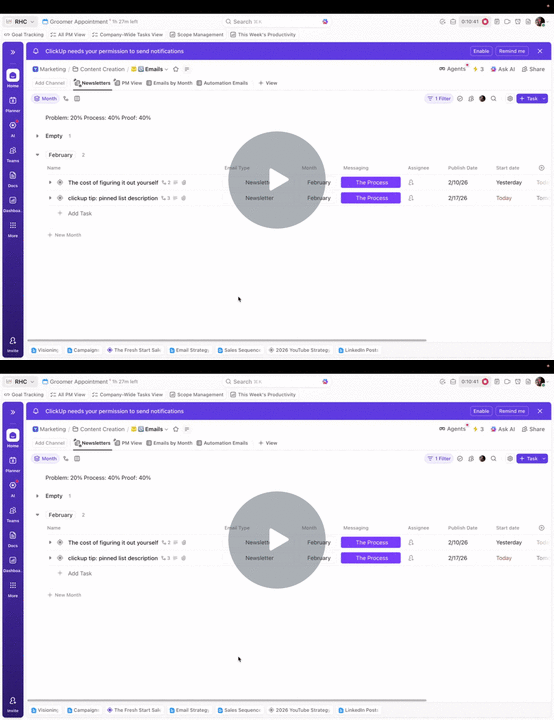
The *tiniest ClickUp detail* that makes all the differenceI saw this post a while back on LinkedIn. All it said was: FYI the PDF file name of a LinkedIn Document post is visible when you upload, so edit the name. I remember thinking: this is so simple and yet, it would be SO helpful to someone who didn't know that. For context.... The simplicity of that post? That's what today's Crying over ClickUp is inspired by. Bc this is quite literally the tiniest little ClickUp detail... that can actually make a REALLY BIG difference to your workflow. So assuming you've already tuned into the "ClickUp Code", aka, the super specific reasons why you use spaces, folders, and lists for managing clients... Then, for each client, you have different lists for specific purposes...Maybe it's a list for social content Or reporting Or a specific project For each type of work, there's almost always some kind of info you need to see and/or grab often. Maybe it's the strategic ratio of something (social content pillars for example), important links, contact name/email, maybe hashtags, reporting cadence, scope details, etc. Literally anything you refer to often. Go ahead and add it to the list description.THEN PIN THAT SHIT. 📍 Now you can always see it. Grab it. Remember it. Without leaving ClickUp. Take 2 minutes to see what I mean, and thank me later.
Here's to having a fun & productive week, Robyn Robyn Henke Did someone forward this to you? Subscribe here. Do Your Worst 💔 Unsubscribe |
Crying Over ClickUp by Robyn Henke
Pls, for the love of ClickUp, don't watch another irrelevant YouTube video. Learn from a real freelancer (hi, I'm Robyn) with real systems, real stories, and a sneaky ClickUp demo or two.